Website redesign SEO checklist: Keep your rankings
Redesigning your website? Follow this SEO checklist to protect your Google rankings and traffic before, during, and after launch.
By SoyabotOctober 19, 20268 min read
In this article
A redesign is one of the best things you can do for an outdated website, and one of the easiest ways to lose search traffic if it is done carelessly. The good news is that rankings drop for predictable reasons, and every one of them can be prevented.
This is the checklist I follow on redesigns, so the new site keeps what the old one earned and builds on it. It works whether you are refreshing a site, redesigning it, or rebuilding it on a new platform. If you would like help, see my website design and redesign services.
How to use this checklist
Work through it in order. Steps 1 to 4 happen before anything is built, steps 5 to 10 while the new site is designed and built, steps 11 to 13 at launch, and steps 14 and 15 afterward. The most expensive mistakes are made early, when URLs and content are decided, so do not skip the first four.
The checklist in four phases
BeforeDon't skip
Steps 1 to 4: measure, list every page, decide what stays.
During
Steps 5 to 10: URLs, redirects, content, on-page basics.
At launch
Steps 11 to 13: test redirects, sitemap, indexing.
After
Steps 14 and 15: watch Search Console, keep improving.
Before the redesign
1. Benchmark your current performance
Write down where you stand before you change anything: organic traffic, the pages that bring the most visitors, the searches you rank for, and how many inquiries come from the site. Google Search Console and Google Analytics give you most of this for free.
Without a baseline, you cannot tell whether the new site is doing better, and you cannot tell what to fix if something drops.
2. Crawl and list every page
Make a complete list of the URLs on your current site, including blog posts, service pages, and anything that other websites link to. This list becomes your redirect map later.
Do not rely on memory or the navigation menu. Old pages that are no longer linked from anywhere can still rank and still receive visitors.
3. Identify your most valuable pages
Mark the pages that bring traffic, rank well, or have links from other sites. These pages need the most care. Their content should carry over, improved but not thrown away.
4. Decide what to keep, merge, or remove
Not every old page deserves to come back. Thin or outdated pages can be merged into stronger ones or removed, as long as each one is redirected to the closest relevant page.
During the redesign
5. Keep URLs where you can
The simplest way to protect rankings is to keep the same URL for important pages. If a URL must change, plan its redirect before you build.
6. Build a 301 redirect map
Every old URL that changes should point to its new equivalent with a permanent (301) redirect. Never redirect everything to the homepage, which throws away the relevance each page built.
Where old pages should point
All to the homepageAvoid
/our-services/services/old-offer/about-us/blog/2019/old-tips
/
Each to its matchDo this
/our-services/services/old-offer/about-us/blog/2019/old-tips
/services/about/blog/better-tips
7. Carry over and improve your content
Keep the words that rank. Improve them, update them, and make them clearer, but do not replace a ranking page with a thinner one just because it looks nicer.
8. Get the on-page basics right
Every page should have a unique title tag, a clear meta description, one main heading, and a sensible heading structure under it. Images need descriptive alt text. These basics are easy to lose in a redesign and easy to get right when planned.
9. Make it fast and mobile friendly
A redesign is your chance to fix speed. Optimized images, lean code, and a layout built for phones all help both visitors and search. Test on a real phone, not only on a desktop browser.

10. Add structured data
Structured data helps search engines understand your business, your services, and your content, and it can make your listings stand out in results.
Planning a redesign?
I handle redesigns with SEO built into the process, from the redirect map to the launch checks. Tell me about your current site.
At launch
11. Test redirects and fix broken links
Go through your redirect map and confirm every old URL lands on the right new page. Check for broken internal links, missing images, and forms that do not submit.
12. Submit your new sitemap
Make sure the new site has an XML sitemap, and submit it in Google Search Console so Google discovers the new pages quickly.
13. Make sure the site is indexable
A surprisingly common mistake: launching with search engines still blocked from the development version. Check that your pages are allowed to be indexed, and that your robots.txt does not block them.
After launch
14. Monitor for the first few weeks
Watch Search Console for crawl errors and pages that are not indexed, and compare traffic and rankings with your baseline. Small dips right after launch are normal while Google processes the changes. Steady drops on specific pages point to a redirect or content issue to fix.
15. Keep improving
A redesign is a fresh start, not a finish line. Publishing useful content and keeping the site fast and up to date is how it keeps climbing.
What a redirect map looks like
A redirect map is just a table that pairs every old URL with its new home. A small example:
| Old URL | Decision | New URL |
|---|---|---|
| /services | Keep | /services |
| /about-us | URL changes | /about |
| /blog/2019/old-tips | Merged into a stronger post | /blog/better-tips |
| /services/old-offer | Removed, redirected to the closest page | /services |
Every row that changes gets a permanent (301) redirect. The "Decision" column is where you make sure nothing is dropped by accident, and the finished table is what you test against at launch.
The tools you need
You do not need an expensive toolkit:
- Google Search Console for indexing, crawl errors, and the searches you appear for.
- Google Analytics for traffic and inquiries.
- A site crawler to list every URL on the old site and check the new one for broken links.
- A spreadsheet for the redirect map and the content decisions.
What to measure after launch
Compare the same numbers you recorded before the redesign:
- Organic traffic to the site overall, and to your most valuable pages.
- The number of pages indexed in Search Console.
- Impressions and clicks for the searches you care about.
- Inquiries from the site.
Judge the result over weeks, not days. If traffic dips and recovers, that is normal. If one page keeps falling, go back to its redirect and its content first.
Special cases to plan for
A few situations need extra care:
- Changing domain names. Moving to a new domain needs a redirect from every old URL to the matching new one, plus a change-of-address request in Search Console.
- Moving to HTTPS or changing the www setting. Pick one canonical version of the site and redirect every other version to it.
- Sites with many years of blog posts. Decide early which posts are worth keeping, and redirect the rest to the closest useful page.
- Changing platforms, for example from WordPress to custom code. The URL map and the redirect plan matter even more, because the structure underneath changes completely.
The most common mistakes
Almost every redesign that loses traffic made one or more of these:
- Changing URLs without redirects, so old addresses return errors.
- Redirecting every old page to the homepage instead of to its equivalent.
- Removing content that ranked, or replacing it with something thinner.
- Dropping titles, headings, and meta descriptions while rebuilding the design.
- Launching with indexing blocked, or forgetting to submit the new sitemap.
- Not measuring before, so nobody can tell what changed.
Where to go next
If you are weighing a redesign because your current site is expensive to maintain, my page on moving from WordPress to custom code explains how I do it while protecting search visibility.
When you are ready, I design and build custom websites and redesigns for U.S. businesses, with the SEO foundations handled from the start.
Keep reading

October 19, 2026 · 7 min read
Signs you need a website redesign
Nine clear signs it is time for a website redesign, from slow pages to a site that brings in no inquiries, and what to do about each one.
October 19, 2026 · 8 min read
WordPress to Next.js migration: Process, SEO and cost
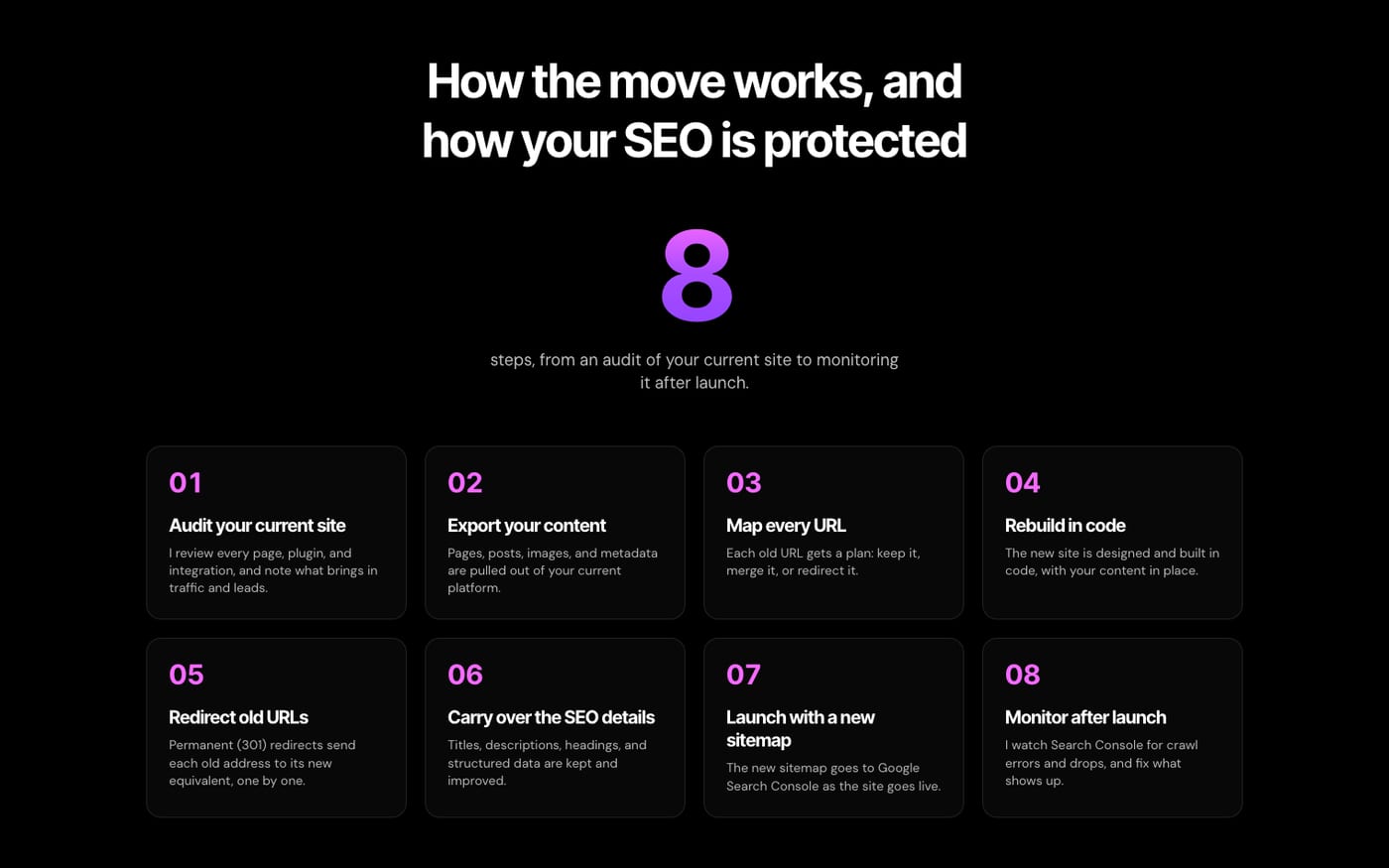
How a WordPress to Next.js migration works: auditing, exporting content, mapping URLs, redirects, SEO checks, launch, and what drives the cost.

October 19, 2026 · 8 min read
Website redesign cost in 2026
What a website redesign costs depends on scope, content, design, and integrations. Here is what drives the price and how to budget for it.